


Airport Transfer Booking Workflow: 2026 Operator Guide
An efficient workflow for airport transfer booking rests on three pillars: accurate data capture, real-time automation, and proactive passenger communication. When each pillar is in place, operators reduce missed pickups, eliminate manual back-and-forth, and deliver the kind of polished, unhurried experience that turns first-time passengers into loyal clients. The core sequence looks like this:
- Collect mandatory booking data: flight number, passenger count, luggage volume, pickup and drop-off addresses, and arrival time
- Automate flight tracking: the flight number triggers live status monitoring, so dispatch adjusts automatically for delays or early arrivals
- Present all-inclusive pricing: tolls, parking, and airport fees appear upfront, with cancellation terms clearly stated before payment
- Process payment securely: encrypted gateways handle the transaction and generate an instant booking confirmation
- Send automated notifications: a confirmation fires immediately; a second message with driver name, vehicle details, and contact number goes out 12–24 hours before pickup
- Close the loop: post-transfer feedback collection feeds quality control and continuous improvement
Each step compounds the one before it. Skip the flight number field and the entire tracking chain collapses. Get pricing transparency wrong and abandonment follows. The sections below break each stage into the operational detail you need to run it well.
How to execute the airport transfer booking process step by step
A clean booking process moves from data collection to confirmed dispatch without a single manual handoff. The numbered steps below reflect 2026 best practices for operators managing volume bookings.
- Open the booking form and capture passenger details. Full name, email, phone number, and passenger count are mandatory. Luggage count determines vehicle class, so make it a required field, not an optional one.
- Enter the flight number. This single field powers automatic pickup adjustments for delays or early arrivals. Without it, dispatch is flying blind.
- Confirm pickup and drop-off locations. Use address validation to prevent typos. For airport pickups, capture the terminal number, since large airports route drivers to different zones.
- Select vehicle type. Match the vehicle to passenger count and luggage volume: a sedan for 1–3 passengers with carry-ons, a minivan for families of 4–7 with full-size bags, a minibus for groups of 8 or more.
- Review the price summary. Every fee, toll, and airport charge should appear on this screen. No surprises after payment.
- Accept cancellation terms. Display the policy clearly: free cancellation 24–48 hours before pickup is the industry standard, with the exception window stated explicitly.
- Complete payment. Encrypted card processing or a supported digital wallet. The system generates a booking reference and fires a confirmation email within seconds.
- Automated confirmation sent. The passenger receives route details, booking reference, and payment receipt. No manual email required.
- Pre-trip driver notification sent. Twelve to 24 hours before pickup, an automated message delivers the driver’s full name, phone number, vehicle type, color, and license plate.
- Driver dispatched with live flight data. The system monitors the flight and updates the driver’s pickup time in real time.
| Step | Action | Required Input |
|---|---|---|
| 1 | Collect passenger details | Name, email, phone, passenger count |
| 2 | Enter flight number | Airline code + flight number |
| 3 | Confirm locations | Pickup address, terminal, drop-off address |
| 4 | Select vehicle | Passenger count, luggage count |
| 5 | Review pricing | All fees displayed before payment |
| 6 | Accept cancellation terms | Policy acknowledgment |
| 7 | Process payment | Card or digital wallet |
| 8 | Send confirmation | Booking reference, receipt |
| 9 | Send driver details | Name, vehicle, contact number |
| 10 | Dispatch with flight data | Live flight status |
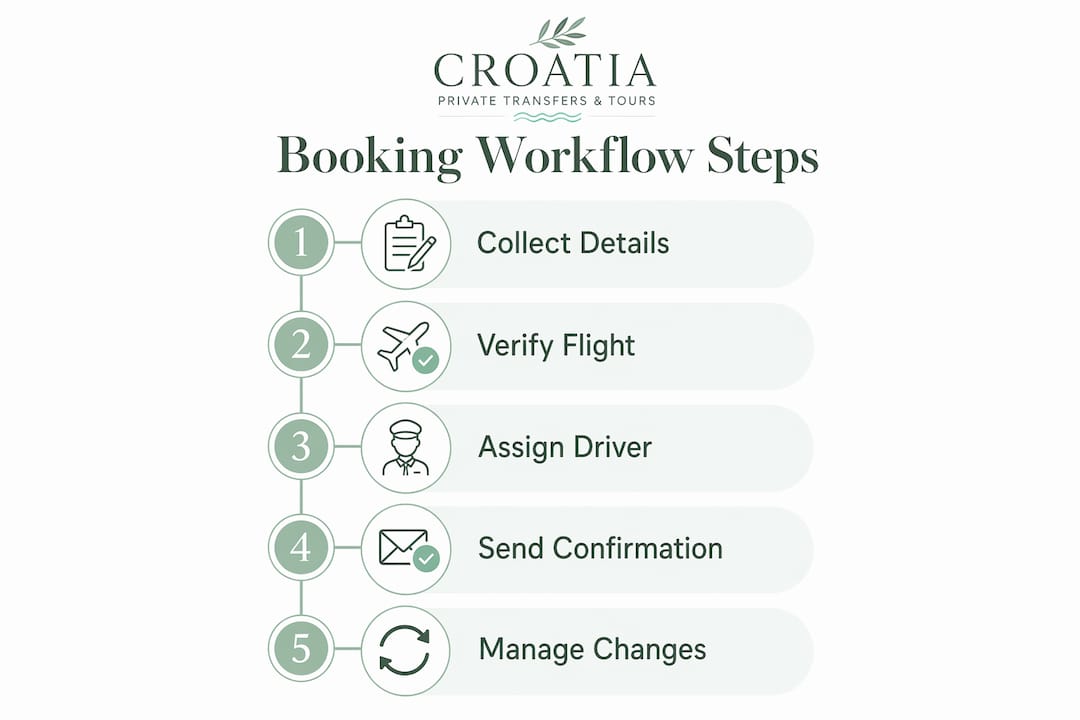
What modern booking systems need to do well
The best airport shuttle booking systems function as a 24/7 digital employee, handling vehicle availability, flight monitoring, and payment reconciliation without human intervention. Moving away from manual email bookings is not a preference in 2026; it is the baseline for competitive operations.
Key capabilities every operator should require from their platform:
- Mandatory flight number field: Disabling form submission without a valid flight number is the single most effective way to protect dispatch accuracy. Omitting this field is the most frequent failure point in transfer workflows.
- Real-time flight tracking integration: The system pulls live status data and pushes updated pickup times to drivers automatically.
- Dynamic vehicle availability: Passengers see only what is actually available for their date, time, and route, preventing overbooking.
- Encrypted payment processing: PCI-compliant gateways protect card data and generate instant receipts.
- All-inclusive pricing display: The quoted fare covers tolls, parking, and airport charges. Hidden fees discovered post-booking drive abandonment and complaints.
- Automated multi-touch communication: Confirmation on booking, driver details 12–24 hours out, and a day-of reminder form the minimum sequence.
- Corporate account integration: Platforms like Limo Anywhere and Yelowsoft offer automation features including real-time vehicle availability, flight delay adjustment, and payment integration that business clients increasingly expect.
Pro Tip: If your current platform requires a dispatcher to manually update pickup times after a flight delay, that is a workflow gap, not a staffing issue. The fix is system-level, not headcount.

How to build booking policies passengers actually trust
Transparent, upfront pricing is one of the strongest conversion levers available to transfer operators. Passengers who see a final, all-inclusive fare before they enter card details complete bookings at a meaningfully higher rate than those who encounter fee surprises at checkout.
Best practices for pricing and cancellation policies:
- State the cancellation window precisely. Free cancellation 24–48 hours before pickup is the accepted standard. Specify whether the cutoff is measured from scheduled pickup time or booking time.
- Include every fee in the quoted price. Tolls, airport access charges, parking, and any fuel surcharges belong in the fare, not in a footnote after payment.
- Display the policy at checkout, not in a buried terms page. Passengers should read and acknowledge cancellation terms before they pay.
- Define last-minute booking rules. Bookings made within 12 hours of pickup often carry different availability and pricing conditions. State this clearly.
Pro Tip: Operators who surface all fees before the payment screen report fewer chargebacks and fewer post-trip disputes. The short-term discomfort of showing a higher total fare is far outweighed by the long-term trust it builds.
Why your passenger communication workflow determines repeat business
Automated communication does more than inform passengers. It reduces no-shows, cuts inbound support calls, and signals professionalism before the driver ever arrives. The two-touchpoint sequence that industry operations specialists recommend covers the full pre-trip window.
- Immediate booking confirmation: Sent within seconds of payment. Includes booking reference, route summary, pickup time, and payment receipt. Passengers who receive this promptly are far less likely to call support to verify their booking.
- Driver details notification (12–24 hours before pickup): Full driver name, direct phone number, vehicle make, color, and license plate. For international travelers crossing time zones, this message often arrives the morning of travel and provides genuine peace of mind.
- Flight delay alert: When live tracking detects a delay, the system notifies the passenger that the driver has adjusted accordingly. No action required on the passenger’s part.
Pro Tip: Include a direct driver contact number in the pre-trip notification, not just a general support line. Passengers who can reach their driver directly almost never miss a pickup, even at unfamiliar airports.
How Croatia-private-transfers applies premium standards to its booking workflow
Croatia-private-transfers illustrates what happens when operational discipline meets curated service. Every booking on the platform requires a flight number, which feeds live tracking across Croatian airports and allows drivers to adjust pickup timing without any passenger intervention. The result is a workflow where a delayed flight from Frankfurt or a rescheduled connection from London simply updates the driver’s arrival window automatically.
Wait time policies at Croatia-private-transfers differentiate between domestic arrivals (30–45 minutes of complimentary wait time) and international arrivals (60–120 minutes, accounting for customs and baggage claim). This distinction, driven by live flight data, means drivers are never dispatched too early and passengers are never left waiting at the curb.
For corporate clients, automated receipt generation and centralized booking histories reduce administrative overhead and support audit compliance. Business travelers using tools like Concur or Expensify benefit from integrations that pull receipts directly into expense reports, removing a friction point that often discourages repeat bookings.
Pro Tip: Audit-ready receipts with itemized fare breakdowns are a small feature that carries outsized weight with corporate travel managers. Build this into your booking system before you pitch business accounts, not after.
How to handle last-minute booking changes and delays without losing the passenger
Last-minute changes are inevitable in air travel. A connecting flight slips, a passenger adds a second bag, or a hotel address changes at the last moment. The operators who handle these situations gracefully retain the client; those who treat changes as exceptions lose them.
The most effective approach is a change-management policy built into the booking system itself. Changes made more than 24 hours before pickup should be free and self-service, handled through a passenger portal or a direct link in the confirmation email. Changes inside that window require dispatcher review, but the system should flag them automatically rather than waiting for a support call.
Flight delays are a separate category. When live tracking detects a delay, the system should update the driver’s dispatch time and notify the passenger without any manual step. Operators who still rely on passengers to call in and report delays are adding unnecessary friction to an already stressful travel moment. The flight number captured at booking is what makes this automation possible, which is why it belongs in every mandatory field list.
How driver assignment and dispatch work in a well-run operation
Driver assignment is where workflow efficiency becomes visible to the passenger. A well-designed dispatch system matches each booking to the nearest available, appropriately licensed driver based on vehicle type, location, and schedule, without a dispatcher manually reviewing every job.
Automated dispatch rules should account for vehicle capacity, driver certification for specific vehicle classes, and geographic proximity to the pickup point. When a booking comes in for a group of six with luggage, the system should assign a minivan driver automatically, not wait for a human to make that call.

Real-time GPS tracking gives dispatchers a live view of every active driver, making it straightforward to reassign a job when a driver reports a mechanical issue or a prior transfer runs long. The key is that reassignment triggers a new notification to the passenger immediately, so they always know who is coming and when.
How post-transfer feedback improves your entire operation
Feedback collected immediately after a transfer is the most accurate data an operator has. Passengers who rate their experience within an hour of drop-off give more specific, actionable responses than those surveyed days later.
A structured post-transfer workflow sends a short rating request by email or SMS within 30 minutes of the scheduled drop-off time. Three to five questions covering punctuality, vehicle condition, driver professionalism, and overall satisfaction give operators a clear picture of where the service excels and where it slips. Negative ratings should trigger an automatic alert to a supervisor, not sit in a report reviewed weekly.
For private transfer services operating at a premium level, feedback data also informs driver training cycles. A driver who consistently scores below average on punctuality may need a dispatch adjustment, not a performance conversation. The data tells you which lever to pull.
Key Takeaways
A well-structured airport transfer booking workflow, built on mandatory flight number capture, automated communication, and transparent pricing, is the most direct path to operational reliability and passenger trust.
| Point | Details |
|---|---|
| Flight number is mandatory | It powers live tracking and automatic dispatch adjustments for delays or early arrivals. |
| All-inclusive pricing prevents disputes | Display tolls, parking, and airport fees before payment to reduce abandonment and chargebacks. |
| Two-touchpoint communication is the standard | Send confirmation immediately after booking and driver details 12–24 hours before pickup. |
| Wait times differ by arrival type | Domestic arrivals warrant a moderate wait time; international arrivals need a longer wait for customs. |
| Post-transfer feedback drives improvement | Collect ratings within 30 minutes of drop-off and route low scores to a supervisor automatically. |